
$99once
One payment. Every update, forever. Bring your own key and keep hold of your words. Nothing recurring.
Own bookmothbookmoth helps you finish the book you want to write, in a voice you recognise as your own.
It learns from your prose, keeps track of your story, and helps you plan, write and revise. AI drafting is there when you ask for it.
You decide what belongs on the page.
macOSWindows
$99, once. The voice tool is free and needs no account.
The story
Your voice is already there, in whatever you've written. bookmoth reads it and holds on to it, so any help you take still sounds like you.
See what your voice looks like →
The app
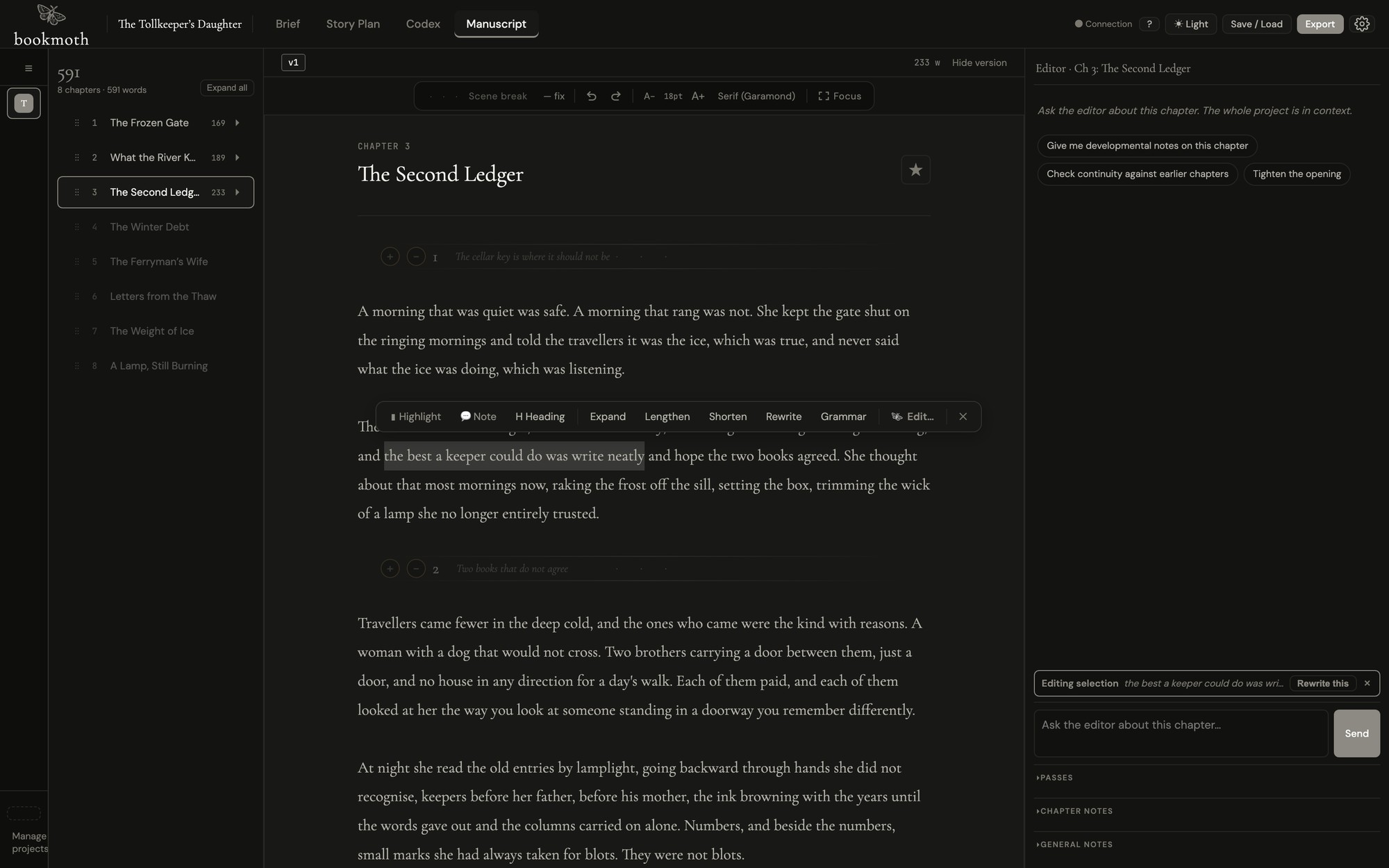
Manuscript, plan, voice, Codex and editor share one project, so nothing needs explaining twice, and no change reaches the page without your say-so.
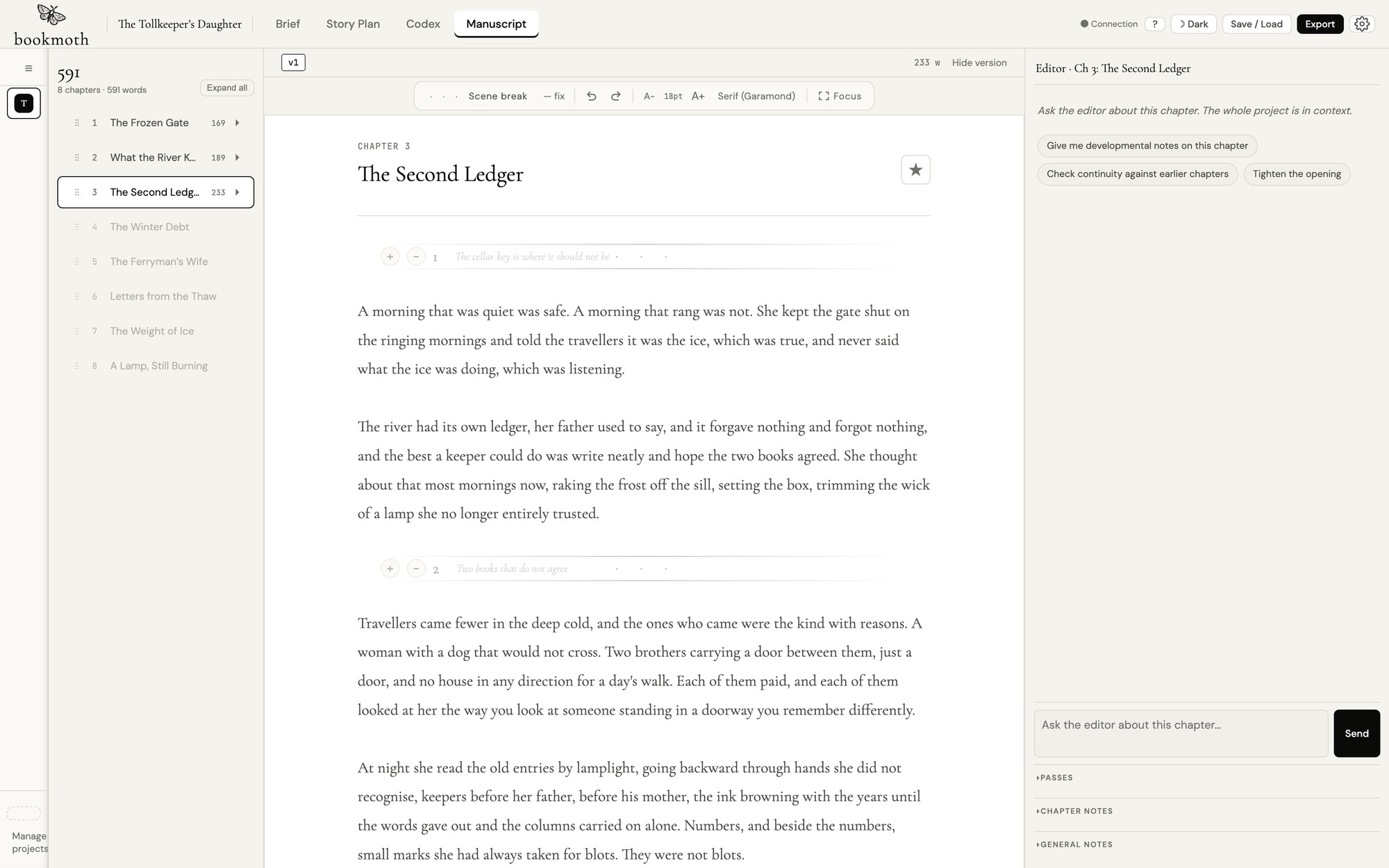
The real application, shown at its original proportions. Chapter 3 of a 69,204-word manuscript.
Try your voice
A writing profile turns evidence from your prose into a standard every draft has to meet. Same model, same scene. The second one knows how its writer writes.
Free. No account. It reads your writing and tells you what it sees.
Try it on your own writingWhere we stand on AI
Yes, there is AI in bookmoth. It works for you, in your voice, and it never gets a credit. Use it for every paragraph or for none; the price is the same and the book is still yours.
We built voice as a constraint, not a setting. Before bookmoth drafts a line it has read thousands of your own words and written itself a style guide it is not allowed to break. That is the difference between a tool that writes for you and one that writes as you.
bookmoth keeps no copy of your book. No account, no server, no analytics. Your words go only to the model provider you chose, under your own key, or stay on your machine entirely.
Read the questions we get asked →As much help as you choose
Before, during or after the writing. Every tool starts with your decision to use it.
Load in writing you trust. bookmoth studies rhythm, dialogue, texture and habit, and turns the evidence into a constraint every draft and edit has to obey.
Try it on your own writing, freeChapter by chapter, scene by scene. Reshape the structure, move a beat, try another direction. Earlier plans and drafts stay where you left them.
See the whole applicationCharacters, places, relationships and facts become proposed entries as you write. A fact knows which chapter made it true, so early chapters never learn late twists. You keep, edit or bin every one.
See the full Codex guide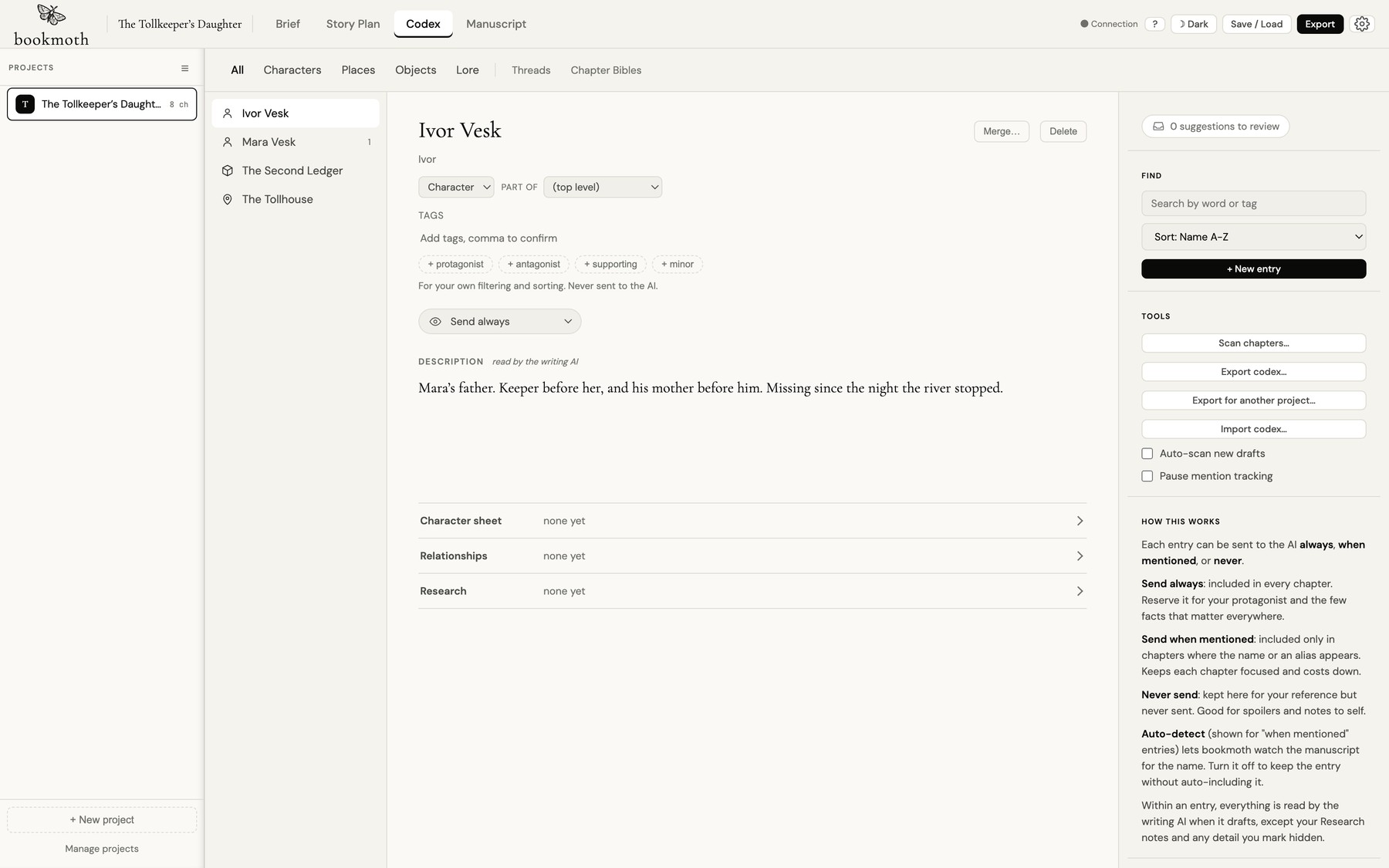
Discuss a scene, argue a structural choice, or hand over a selected passage with the manuscript, plan and Codex in context. Read the change, keep it or bin it, or carry on writing yourself.
See the whole applicationIncluded companion
Read, make notes and carry the manuscript on from iPhone or iPad. Changes come back to the desk through your own iCloud. Included with bookmoth.
Tap either device to enlarge.
No account. No server. Your book stays on your computer, or in a cloud you chose.

One payment. Every update, forever. Bring your own key and keep hold of your words. Nothing recurring.
Own bookmothBefore you ask
The letter arrives at half past ten, slipped into the morning post between an invoice from Hartley & Sons and a brown envelope addressed to Mr Ogden. Margaret sorts the post as she does every morning, her fingers moving through the stack with the efficiency of eleven years at the same desk, the same ritual of examining return addresses and postmarks and the weight of each envelope before deciding which should go on top of Mr Ogden’s pile, and then she stops.
The letter arrives with the morning post, mixed in with a conveyance for Mr Ogden’s signature and a circular from the Law Society about some change to the procedures for probate that Margaret will type up and file and that no one will read. She sorts the post at her desk, standing because she has not yet removed her coat, and the envelope is there among the others, cream-coloured, not white, the kind Henry used to buy from the stationer on Deansgate, and she sees the handwriting before she sees anything else, before she sees her own name, before she sees the postmark that is smudged and unclear, and she stands very still with the envelope in her hand and the coat still buttoned at her throat and the gas fire hissing in the corner of the room.